
8P1P003200GRF01 vs 8P1P003210GRF01
| Part Number |
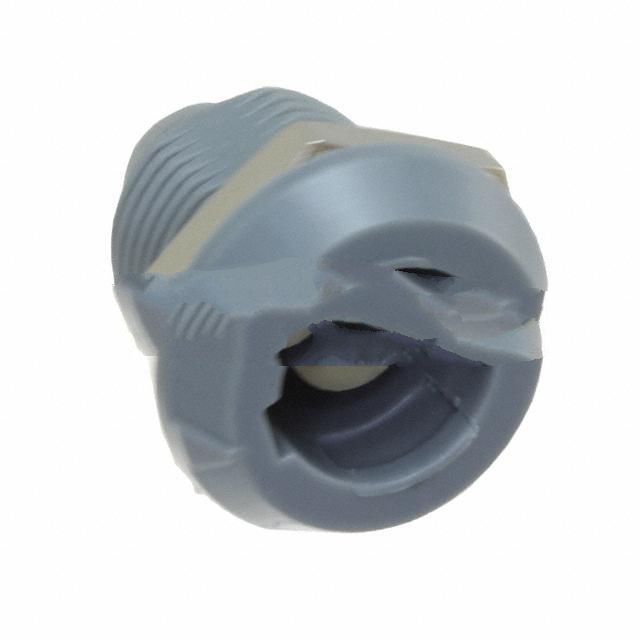
|
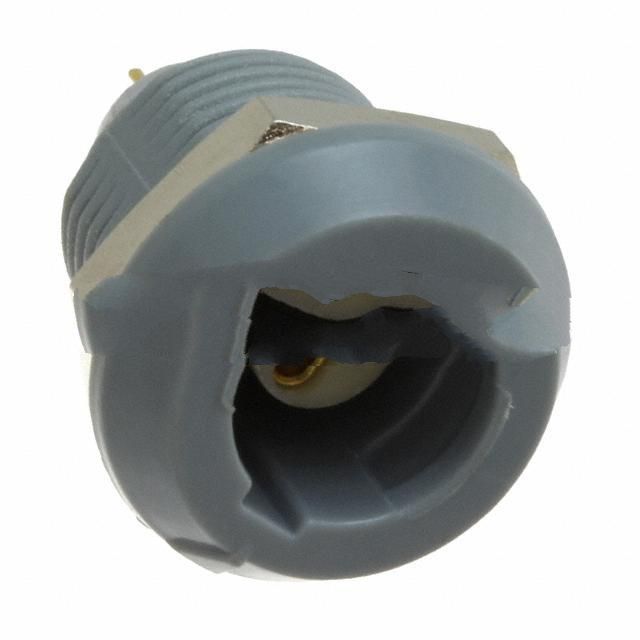
|
| Category | Circular Connectors | Circular Connectors |
| Manufacturer | NorComp Inc. | NorComp Inc. |
| Description | CONN RCPT FMALE 3POS GOLD SOLDER | CONN RCPT FMALE 3POS GOLD SOLDER |
| Package | - | - |
| Series | QUIK-LOQ? 8P1P | QUIK-LOQ? 8P1P |
| Mounting Type | Panel Mount, Bulkhead - Rear Side Nut | Panel Mount, Bulkhead; Through Hole |
| Termination | Solder Cup | Solder |
| Ingress Protection | IP50 - Dust Protected | IP50 - Dust Protected |
| Current Rating | 10A | 10A |
| Voltage - Rated | 500V | 500V |
| Contact Finish | Gold | Gold |
| Orientation | Keyed | Keyed |
| Number of Positions | 3 | 3 |
| Connector Type | Receptacle, Female Sockets | Receptacle, Female Sockets |
| Fastening Type | Push-Pull | Push-Pull |
| Shell Material, Finish | Polyacrylonitrile Butadiene Styrene (ABS), Polycarbonate (PC) | Polyacrylonitrile Butadiene Styrene (ABS), Polycarbonate (PC) |
-
1. How to wire a circular connector
1. Insert the wire into the pin hole inside the connector to ensure that the metal conductor is in full contact with the pin.
2. Use wire twisters to tighten the screws or clips on the connector to ensure good and firm contact between the connector and the wire.
3. Check if there is any exposed metal surface on the connector. If necessary, re-strip it.
4. Wrap the connected wires with electrical tape to prevent loosening or short circuit problems. -
2. What is a circular connector
A circular connector is a cylindrical electronic connector with a circular mating surface. It belongs to the fifth category of the interconnection classification and is mainly used for interconnection between devices. The design of circular connectors includes many types, such as low-frequency circular connectors, RF coaxial connectors and audio connectors, etc., with a wide operating temperature range from -55℃ to +150℃.
-
3. How to remove the circular plastic terminal head
1. Use scissors or flat-nosed pliers to cut off or remove the outer shell on the circular plastic terminal head to expose the internal wiring part.
2. Use a screwdriver to loosen the screws on the terminal head to remove the terminal head.
3. Gently pull the terminal head by hand to remove it from the wire.
4. If the terminal head is very tight, you can use flat-nosed pliers or pliers to increase the removal force.
5. If you need to replace a new terminal head, you can insert the new terminal head into the wire and tighten the screws to ensure that the wiring is firm. -
4. How many types of connectors are there?
1. Circular connector,
2. RF connector,
3. Rectangular connector:
4. SMB connector:
5. BNC connector;