
SST39SF010A-55-4C-NHE vs M95M01-DFDW6TP
| Part Number |

|
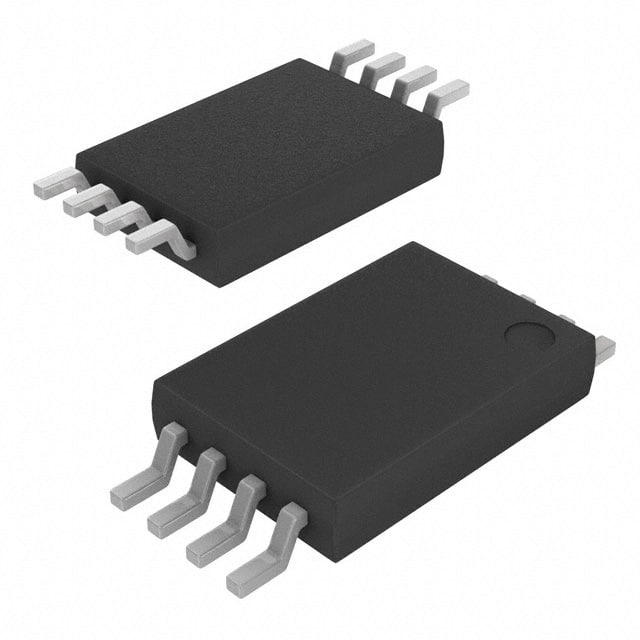
|
| Category | General Memory | General Memory |
| Manufacturer | Microchip Technology | STMicroelectronics |
| Description | IC FLASH 1MBIT PARALLEL 32PLCC | IC EEPROM 1MBIT SPI 16MHZ 8TSSOP |
| Package | Tube | Tape & Reel (TR) |
| Series | SST39 MPF™ | - |
| Voltage - Supply | 4.5V ~ 5.5V | 1.7V ~ 5.5V |
| Operating Temperature | 0°C ~ 70°C (TA) | -40°C ~ 85°C (TA) |
| Mounting Type | Surface Mount | Surface Mount |
| Package / Case | 32-LCC (J-Lead) | 8-TSSOP (0.173\", 4.40mm Width) |
| Supplier Device Package | 32-PLCC (11.43x13.97) | 8-TSSOP |
| Memory Size | 1Mb (128K x 8) | 1Mb (128K x 8) |
| Technology | FLASH | EEPROM |
| Memory Type | Non-Volatile | Non-Volatile |
| Clock Frequency | - | 16 MHz |
| Access Time | 55 ns | - |
| Memory Format | FLASH | EEPROM |
| Write Cycle Time - Word, Page | 20µs | 5ms |
| Memory Interface | Parallel | SPI |
-
1. What is memory and what does it do?
Memory is a computer component that stores data and instructions. It can be temporary (volatile storage) or permanent (non-volatile storage) and is used to support system operation and data storage.
-
2. What are the main types of memory?
Common memory types include random access memory (RAM), read-only memory (ROM), flash memory, hard disk drive (HDD), and solid-state drive (SSD).
-
3. How to choose the right memory type?
When choosing a memory type, you need to consider speed, capacity, durability and cost according to application requirements. For example, SSD is suitable for data that needs to be accessed quickly, HDD is suitable for large-capacity data storage, and RAM is suitable for high-speed computing.
-
4. How to upgrade the computer's memory?
Computer storage performance can usually be improved by adding RAM modules or upgrading the HDD to a faster SSD. It is also necessary to ensure that the new hardware is compatible with the system, especially motherboard support and memory type.